Notes ·
LohnCC goes live: approvals, request cards in chat, and Login with LohnCC
On 11 October 2026 I wrote about what’s new in LohnCC: spaces for organizations, schools and families, and safety for every member. The same day, LohnCC moved to its live server at app.lohn.cc. It is still in private testing: people join by invitation. This post covers what was built since then. The biggest part is the first everyday work tool: requests and approvals.
Requests and approvals
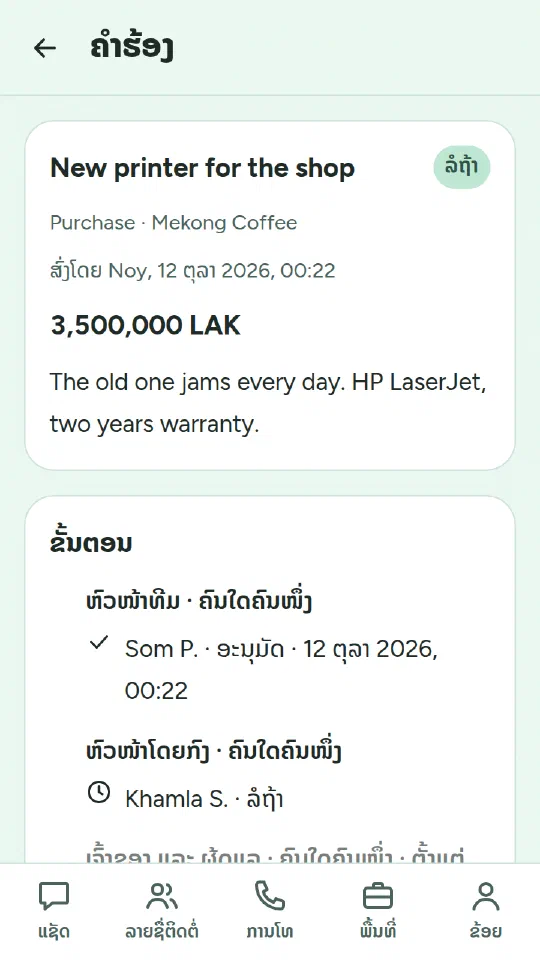
Some things need someone’s OK: buying a printer, a day off, a contract. In a space, the owner and admins set up approval flows, one for each kind of request. A flow is a list of steps. For each step they choose who approves:
- the requester’s team lead;
- the requester’s line manager (each member now has a “Reports to” field);
- the space’s owner and admins;
- or a named person, for example someone in finance.
A step can need any one of them or all of them. It can also apply only from an amount, such as 10,000,000 kip, so small purchases skip it. Before sending, the requester sees who will approve at each step.
Approvers approve, send the request back, or reject it. Sending back or rejecting needs a comment. A request that was sent back can be changed and sent again; it then starts from the first step, and the earlier comments stay visible. Nobody approves their own request. If nobody else fits a step, the owner and admins approve instead.
If nobody decides, the approvers get a reminder after a day. After three days the owner and admins are told too. Decided requests are kept for five years. Titles, details and comments are stored encrypted on the server, and notifications never show the title.
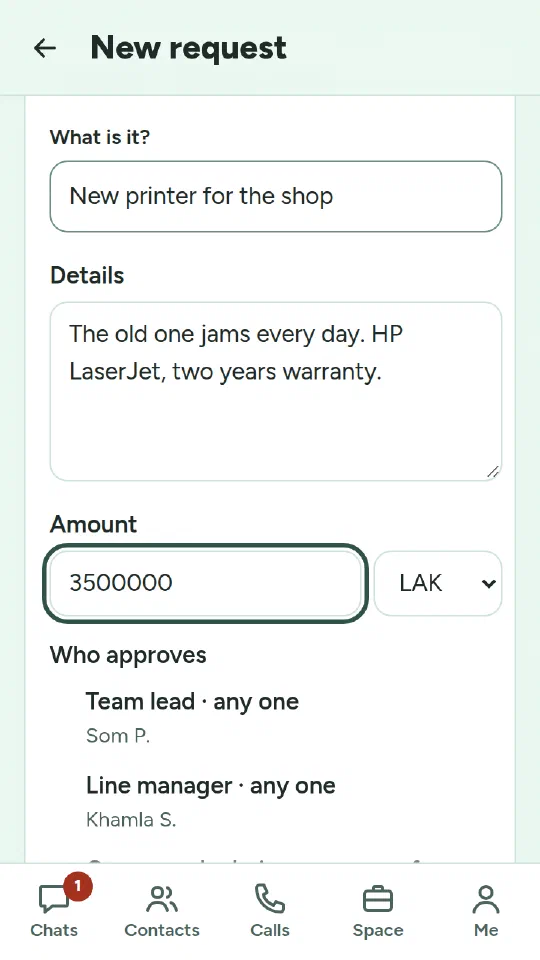
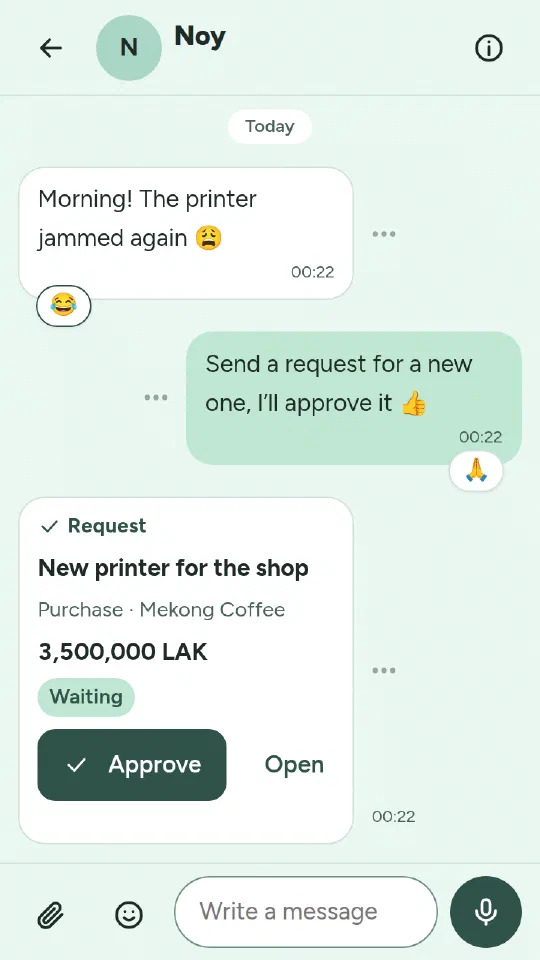
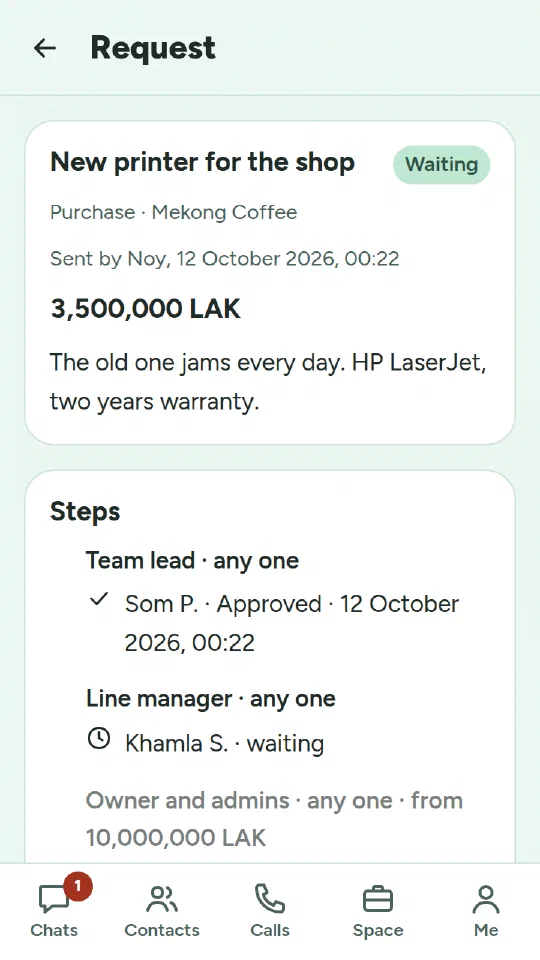
Request cards in chat. When a request waits for someone, its card also appears in the chat between the requester and that approver. The approver can approve right there, or open the request. Anything else about it can be said in the same chat. The card always shows the request’s current state, and it can’t be edited or deleted. If a person has blocked the requester, they don’t get the card. Blocking still works as before: the requester is never told.
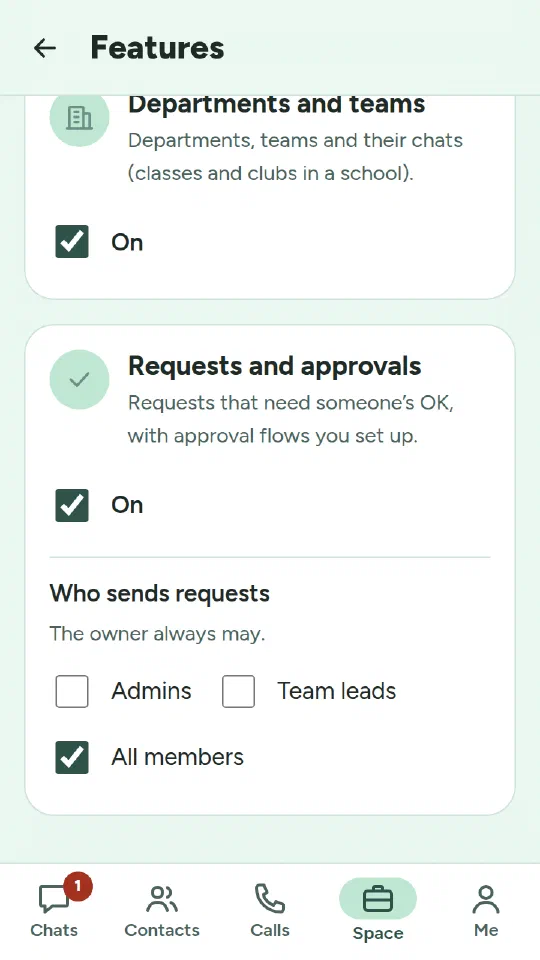
Approvals are a feature each space switches on. The owner and admins now have a Features page where they turn features on or off and choose who may use them: who posts announcements, who manages the family tree, who may send requests.
Chat: reactions, emoji and videos
- Reactions. Long-press a message: the chat dims, the emoji float just above the message and its options just below. Choose 👍 ❤️ 😂 😮 😢 🙏, or any other emoji. Each person has one reaction per message. Reactions show as a small badge on the message’s edge; tap it to see who reacted.
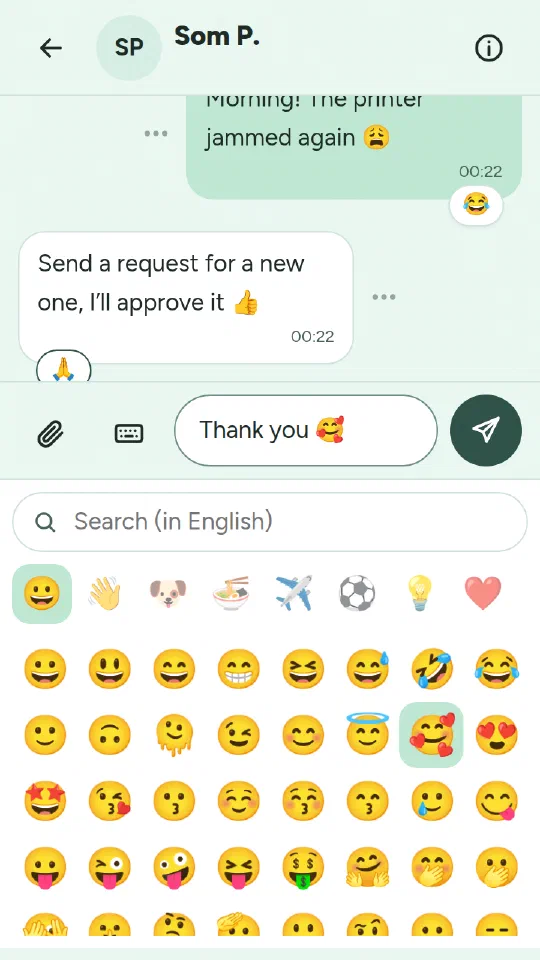
- Emoji. An emoji button in the message box opens every emoji by group, with your recent ones first and a search. On a phone the panel takes the keyboard’s place, and a keyboard button switches back.
- Camera. On a phone, Attach → Camera opens the phone’s camera for a photo or a video. Videos of up to 100 MB play inside the chat when you tap them. LohnCC redraws photos to remove the location stored in them, but it sends videos as they are. A video can still hold where it was recorded, and the Privacy Policy says so.
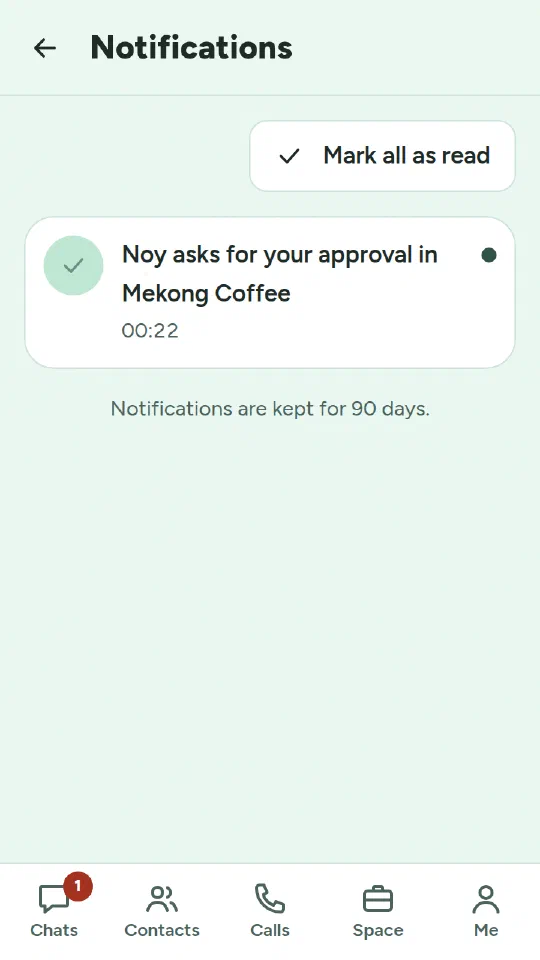
- A notifications inbox behind a bell keeps notifications for 90 days, except new chat messages, which stay in the chats.
- Files on devices. Photos, files and voice messages stay on the server only until everyone in the chat has them, 30 days at most. After that they live on the phones that saved them, and anyone can save one to their phone.
- Calls. On a computer you can now choose where the sound goes, such as the speakers or a headset. I also fixed a bug where the caller’s screen kept showing “Calling…” after the call was answered. A web page can’t switch a phone between its earpiece and loudspeaker, so a Speaker button will come with the Android app.
Login with LohnCC
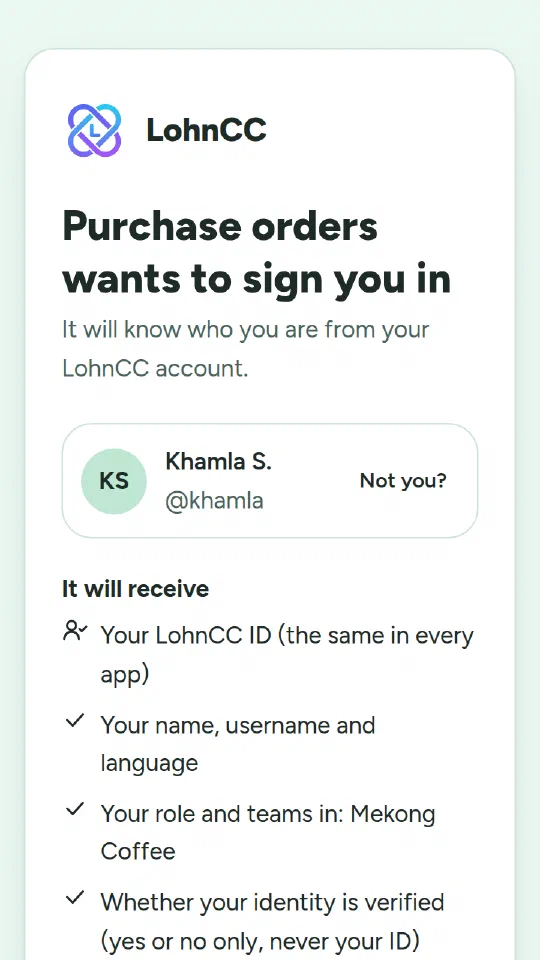
In the last post I listed sign-in with Microsoft accounts under “What’s next”. I changed that plan. LohnCC will not use outside sign-in and will not connect to outside apps. Instead, LohnCC itself becomes the sign-in for Vangera’s own web apps, such as purchase orders or HR. It uses OpenID Connect, the open standard behind most “Sign in with…” buttons.
- Every member now has a LohnCC ID. It is random, never changes, and is the same in every app, so the apps can recognize the same person. The Privacy Policy says this plainly. The ID tells nothing about the member on its own.
- The member decides. The first time, LohnCC shows what the app will receive and asks. The member can take it back later in Me → Apps.
- Sign out once. Signing out of LohnCC signs the member out of the apps too.
- Apps can work with a space. A space’s admins can give one of these apps read-only access to the space: who joins and leaves, the member list, and the space’s own audit log. An app can also send an approval card, for example “PO 1042, 12,500,000 kip”. Members decide in LohnCC like any other request, and the app reads the decision, which LohnCC signs. LohnCC never calls out to the app.
No app uses Login with LohnCC yet. It needs a security review first.
How it was built
The process hasn’t changed: I decide what to build and answer the questions that matter, Claude Code writes most of the code and the tests, and I approve each change. Every change is tested automatically. The tests themselves are checked too: I have security rules broken on purpose, one at a time, to make sure the tests notice. The questions I decided this time were again mostly not technical:
- how long to keep decided requests;
- whether apps see the same ID for a member or a different one;
- what happens when nobody decides.
What’s next
- Leave requests with leave types, balances and public holidays, then expense claims, on the same approvals.
- Meeting rooms.
- A daily summary, and new tabs: Chats, Approvals, Space, Today and Me.
- An Android app.
Before anyone outside testing uses LohnCC, a few things still have to happen: a review of the Terms of Service and the Privacy Policy against Lao law, a security review, backups kept off the server, and a native speaker’s review of the new Lao text.
Try it
LohnCC is in private testing. If your organization, school or family would like to try it, send me a message and I’ll send you an invitation.