Notes ·
LohnCC progress: one license for every app, organizations' own servers, and Vangera HR
Five days ago Vangera Flow went live, the first app that signs in with LohnCC. Since then three bigger pieces have come together: Vangera HR runs at hr.vangera.systems, LohnCC can run on an organization’s own server, and a single license from Vangera License now covers every app, wherever it runs.
Vangera HR
Vangera HR is time and attendance for organizations on LohnCC, at hr.vangera.systems. Like Flow, people open it from their organization’s page in LohnCC, already signed in.
- Clocking in and out on a phone, at one of the organization’s sites. It uses the phone’s location once and keeps only the site and the distance, not where the person was. Some sites also need their printed QR code.
- Rosters and shift swaps: planning the week’s shifts, and swapping a shift with a colleague.
- Leave: balances, asking for leave, approving it, leave types and public holidays.
- Gate passes: asking to leave the workplace for a while, with guards checking passes at the gate.
- New hires: HR invites a new person into LohnCC and the organization.
It is in testing: an organization asks for it in LohnCC, and I approve each one.
An organization’s own server
LohnCC can now also run on an organization’s own server, in its office or a data centre, for organizations that want their chats on their own hardware. People keep the one LohnCC account they already have: they sign in with it, their notices and approvals still reach them in LohnCC, and Me → Servers lists the servers they belong to. A server registers with app.lohn.cc and I approve it; guests from other organizations can join its spaces.
Vangera Systems installs it from a signed bundle, which the server checks against Vangera’s published key before anything runs. Moving an existing space from app.lohn.cc to its own server is built too, but stays switched off until the Terms and Privacy Policy describe it.
One license for every app
Vangera License (license.vangera.systems) issues one license per organization. It names the organization by its LohnCC ID and lists the apps it includes and where each runs: LohnCC, Vangera Flow and Vangera HR, each hosted by Vangera or on the organization’s own server, in any combination. It also sets how many members the organization may have, whether its LohnCC chats include calls, and the dates. During the beta, licenses are free until 31 December 2026.
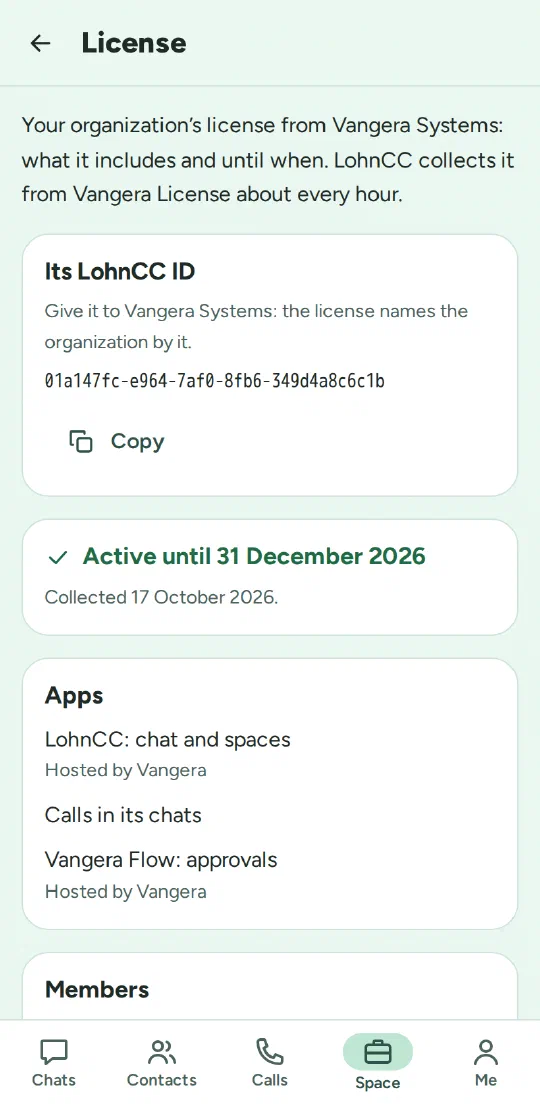
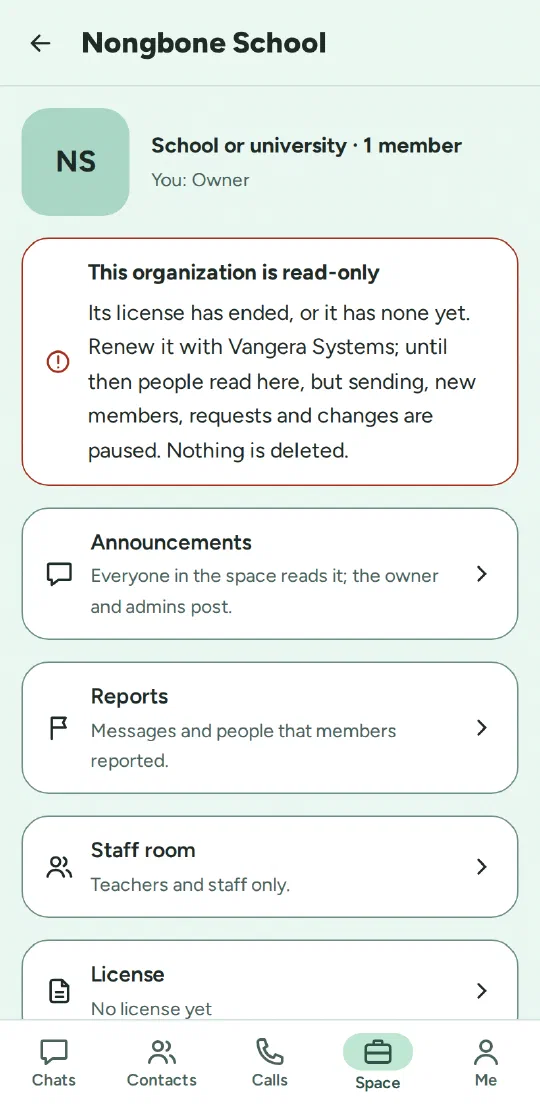
On app.lohn.cc, LohnCC collects the licenses of the organizations it hosts every hour and checks each signature. An organization’s owner and admins see its license on the space’s page, with the LohnCC ID to give Vangera.
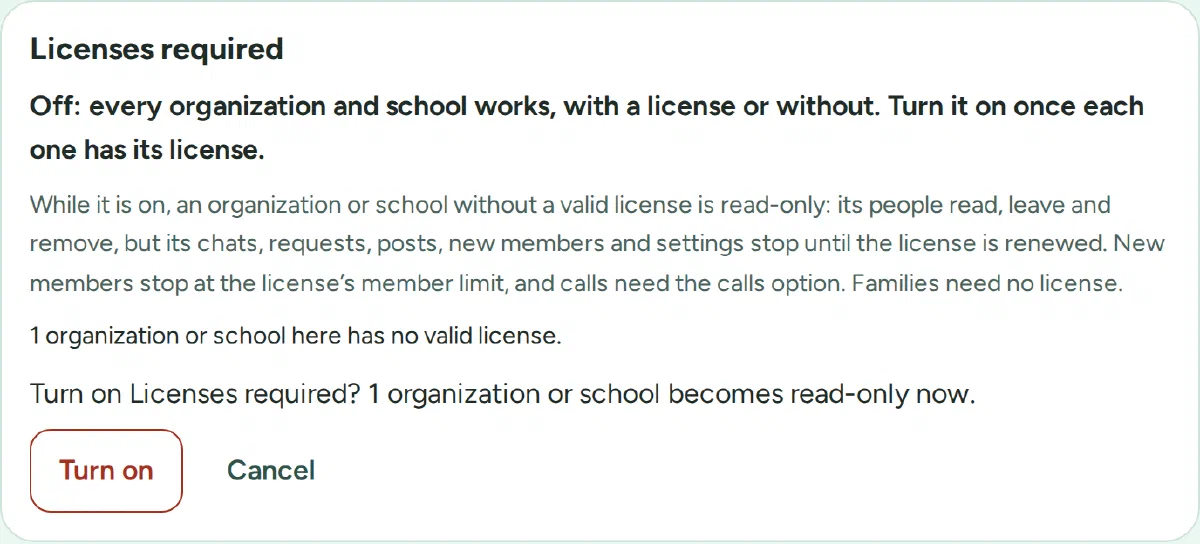
The rule that every organization needs a license is a switch, and it stays off until each organization has its license. Once it is on:
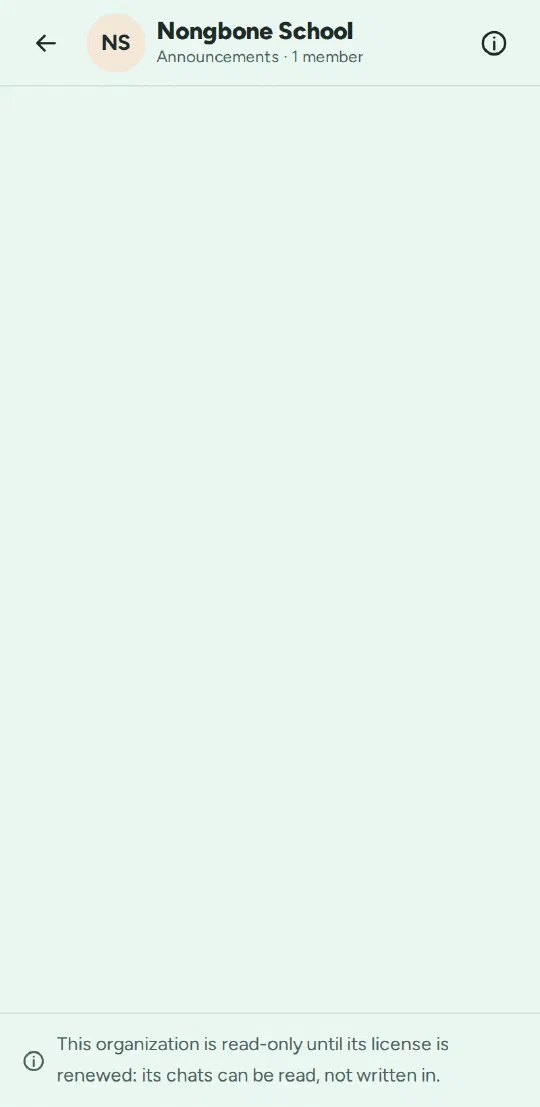
- An organization or school without a valid license becomes read-only: people still sign in and read everything, and nothing is deleted, but sending, new members, requests and changes are paused until the license is renewed.
- Its owner and admins get a notice 14 days and 1 day before the license ends, and when it has ended. After the end there are 30 days before it becomes read-only.
- A new organization works normally for its first 30 days while its license is issued. Families don’t need a license.
- The license is also the approval for apps: an organization whose license includes Flow or HR may add them without asking.
On an organization’s own server, LohnCC, Flow and HR each keep the organization’s license code, renew their license about once a day, and check it themselves, so they keep working without the internet until the license ends. HR keeps recording clock-ins even when its license has run out, so no attendance is lost.
Behind the scenes
On 16 October everything moved to a new server: the apps, these websites and email. The manuals for every app are at docs.vangera.systems, and each app links to its own.
What’s next
The next part is planned, not built: letting organizations on different servers connect directly, so people on one organization’s server can talk with people on another’s, with the license setting how many organizations each may connect to. It needs its own plan and a security review first.