Notes ·
Vangera HR: reports, overtime claims, an anomaly box and asking for changes
Three days ago I wrote about one license for every app and Vangera HR. Since then Vangera HR (time and attendance for organizations on LohnCC, at hr.vangera.systems) has gained the pieces that come up first when a manager actually runs a team with it: reports, overtime, a list of what went wrong, and a way to send a request back instead of refusing it. All of it is live now. The screenshots use example data.
Reports, with an Excel file
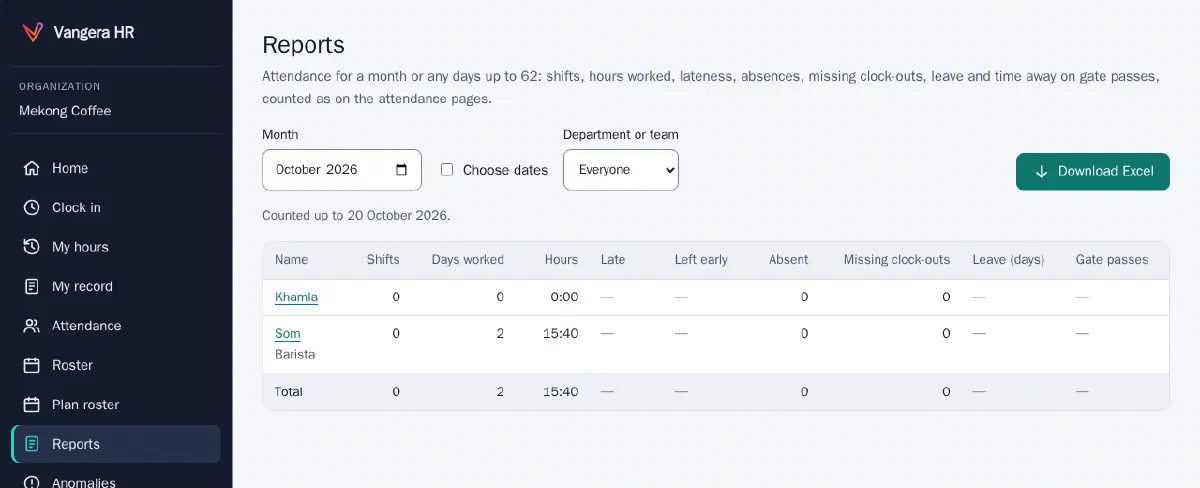
Reports shows a month (or any days up to 62) for everyone, or for one department or team: shifts, days worked, hours, lateness and leaving early, absences, missing clock-outs, leave by type and time out on gate passes, counted the same way as the attendance pages. HR sees everyone; managers and team leads see their own people. Download Excel gives an .xlsx file with a summary sheet and a sheet of every day.
Overtime and casual work
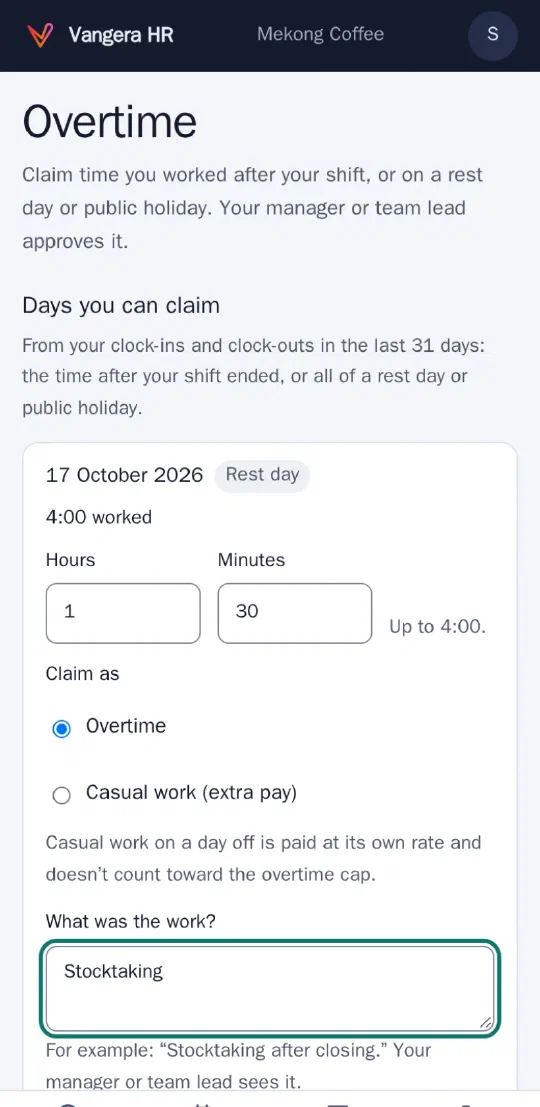
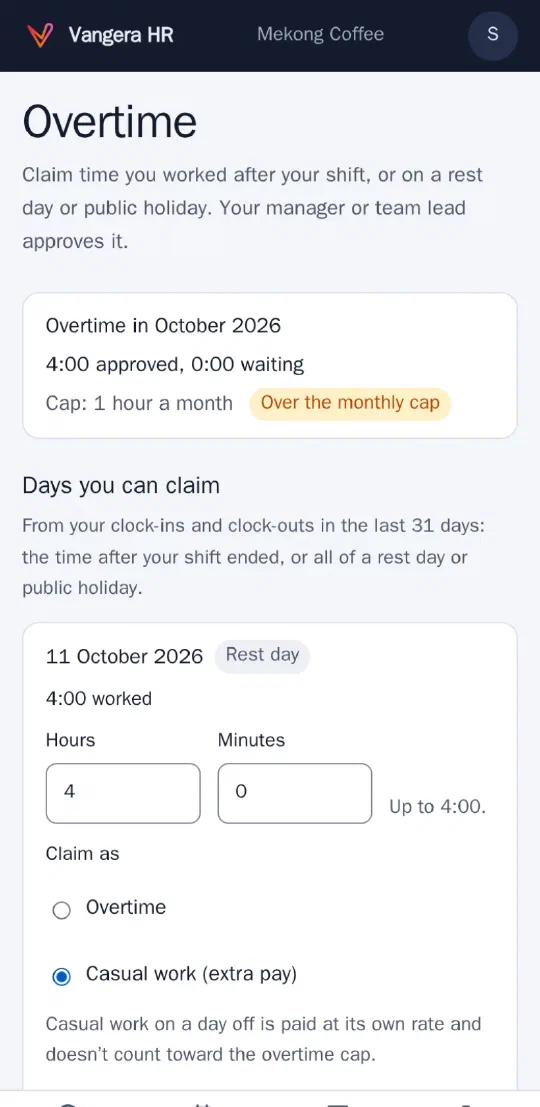
HR switches overtime claims on, and may set a monthly cap of hours. A person then claims after the day, from their phone, up to what the clock shows: the time after their shift ended, or all of a rest day or public holiday. On a day off they can claim it as overtime or as casual work (extra pay), which stays outside the cap and is counted on its own. The manager sees that day’s clock-ins and clock-outs and the month against the cap before deciding; a claim over the cap can still be approved, and is marked.
Only hours are kept for now. Pay rates come later, with payroll, once the rules are settled.
An anomaly box, and a morning summary
Anomalies lists, for the people a manager sees, who was late or left early, who was absent from a published shift, who forgot to clock out, and who worked without a shift in a week they were on the roster. Each item can be marked reviewed with a short note (“doctor’s visit, agreed”), so it doesn’t come back.
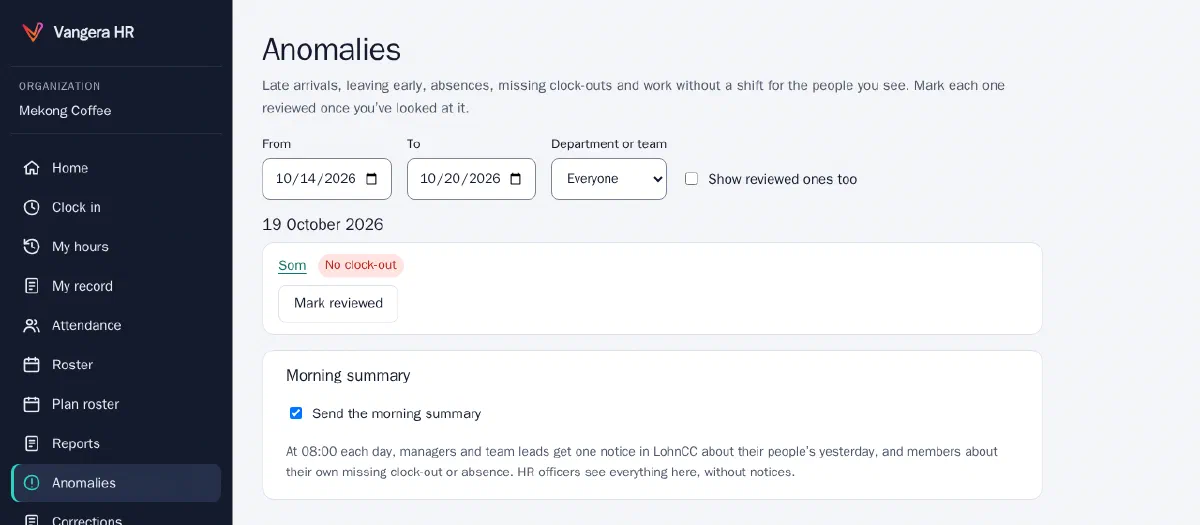
Every morning at 08:00 each manager and team lead gets one notice in LohnCC about their people’s previous day, and anyone who forgot to clock out (or missed a shift) gets a reminder with a link to ask for a correction.
Asking for changes
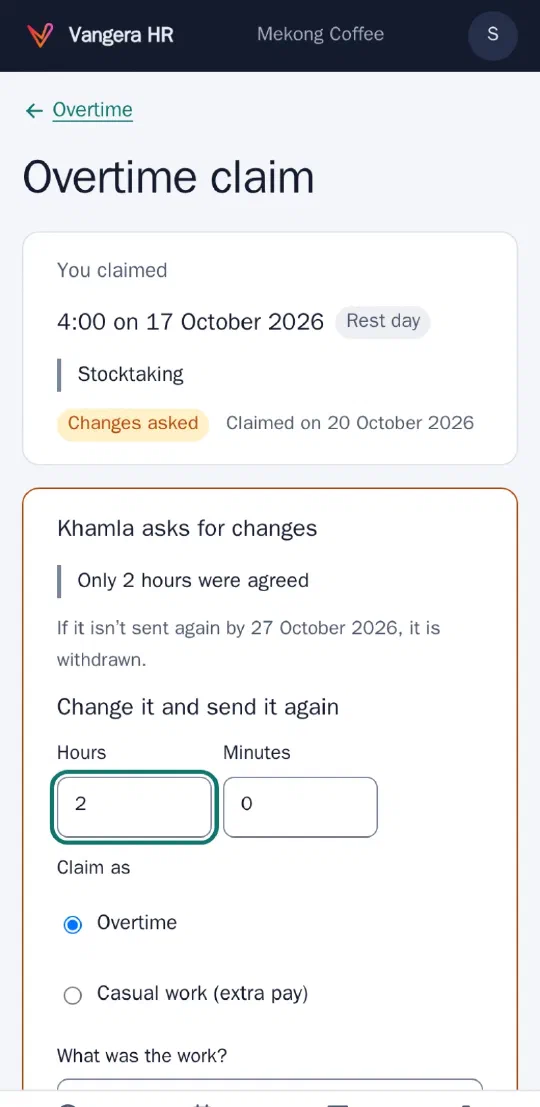
Approvers used to have two answers: approve or don’t. Now there is a third, Ask for changes, on corrections, overtime claims, leave requests and gate passes, both in Vangera HR and on the card in LohnCC’s Approvals. The person sees the note, changes the request (on the same form, filled in as it was) and sends it again; every round is kept on the request. A request left waiting for changes for 7 days is withdrawn.
Also in this round
HR now keeps an employment record per person: grades, skills and certificates, with warnings before a certificate, contract or probation ends, and job changes (promotions and transfers) with dates and reasons. Other Vangera apps can read what they need from HR with the organization’s permission: Vangera Flow, for example, now knows when an approver is on leave for the whole day, and sends their requests to their delegate, or to their manager when they have none.
The manuals at docs.vangera.systems cover each of these, and Vangera HR’s own Help has the same pages.
What’s next
Planned, not built: a shared clock-in kiosk at the door (a tablet showing a QR code that changes every 30 seconds, scanned with each person’s own phone), clocking in from the workplace’s network as well as by location, importing people from Excel, performance reviews, and payroll with payslips.