Notes ·
What's new in LohnCC: spaces for organizations, schools and families
On 5 October I introduced LohnCC, a Lao-first app I’m building for organizations in Laos. It started with chat and voice and video calls. Since then it has grown a new tab, Space: one place for an organization, a school or a family, with its own people, teams and announcements. Every member also got new tools to stay safe. This post walks through what changed between 5 and 11 October 2026.
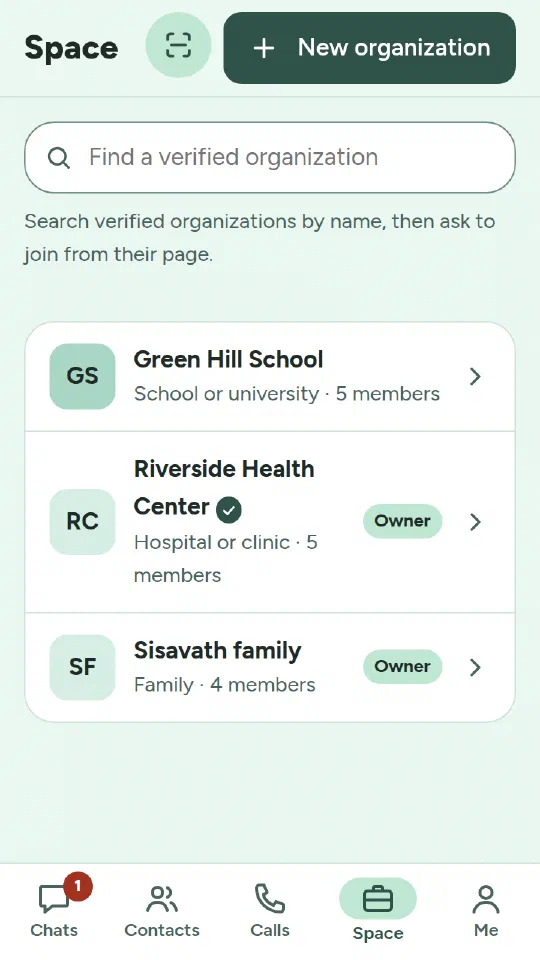
Spaces: organizations, schools and families
A space is a group of people who belong together and stay together, unlike a group chat that comes and goes. LohnCC has three kinds:
- Organizations: companies, clinics, NGOs, government offices.
- Schools: teachers, staff and students.
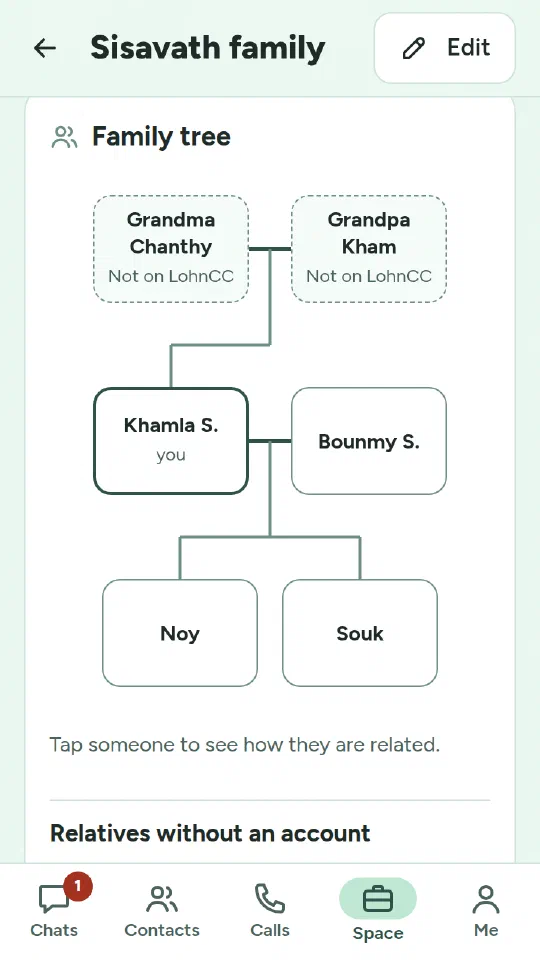
- Families: members and relatives, drawn as a family tree.
Members with a verified ID can create a space. Whoever creates it becomes its owner and decides who helps run it as an admin. People join in one of two ways. An admin can add an existing member by their @username, and the member accepts. Or the admin shares a join link or QR code, and approves each person who asks.
Verified organizations. An organization can send its registration papers to LohnCC, together with a stamped letter that names the person sending them. I check them by hand. If they’re in order, the organization gets a Verified mark. Verified organizations can be found by name on the Space tab, and people can ask to join from their page. The mark is checked again every year, and when the organization’s name or owner changes.
Departments, teams and announcements
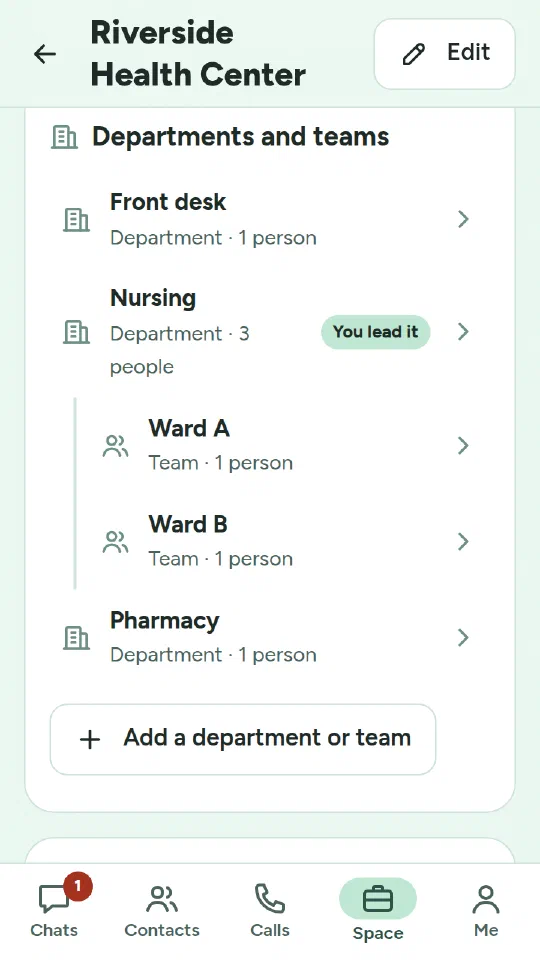
Inside a space, the owner and admins build its structure: departments, and teams inside them, up to five levels deep. Each one has a lead, and each one gets its own chat. When someone joins a team, they’re added to its chat. When they leave the team, they leave the chat.
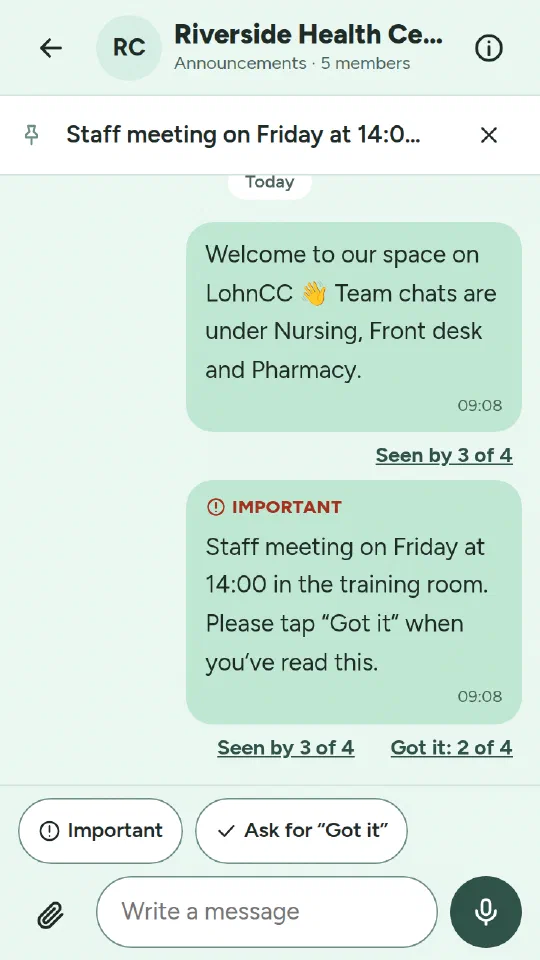
Every space also has an announcements channel that everyone in it reads. In organizations and schools only the owner and admins post, unless they let everyone post. Announcements have a few extras that a normal group chat doesn’t:
- Seen by: admins see “Seen by 3 of 4” and who hasn’t read it yet.
- Pin: one important message stays at the top.
- Important: reaches people even if they muted the channel.
- “Got it”: the poster can ask everyone to confirm and see who did.
Schools and families
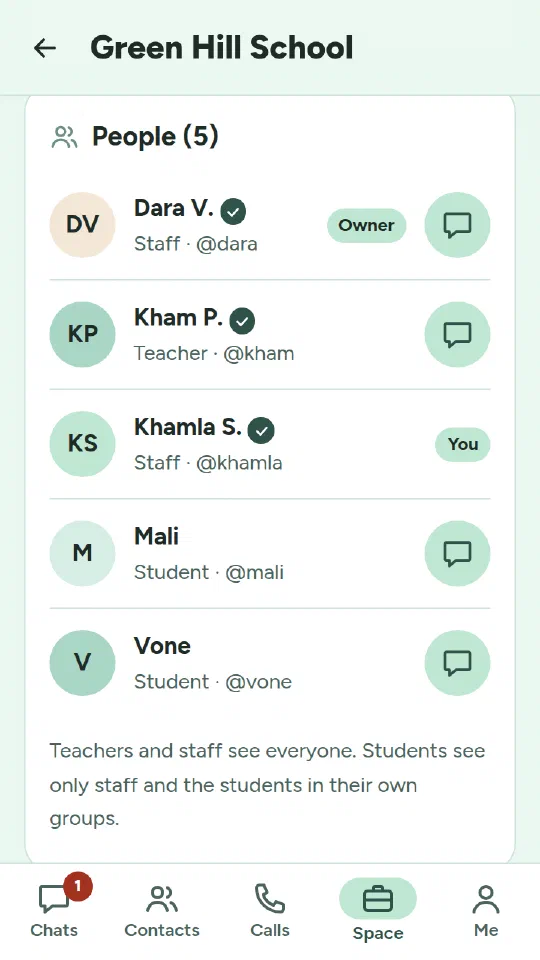
Schools. Whoever invites or approves someone into a school picks their role: teacher, staff or student. Teachers and staff get a Staff room chat of their own. Classes and clubs are groups, each with a chat. Students see the staff and the students in their own groups. Teachers and staff see everyone.
Families. A family space draws a family tree by generations: parents and children, partners and siblings. Grandparents and other relatives without an account can be added by name, so the tree still connects through them. If they join later, an admin links their name to their account. Admins’ changes show at once. A member’s link to another member, such as “this is my sister”, shows once the other person accepts.
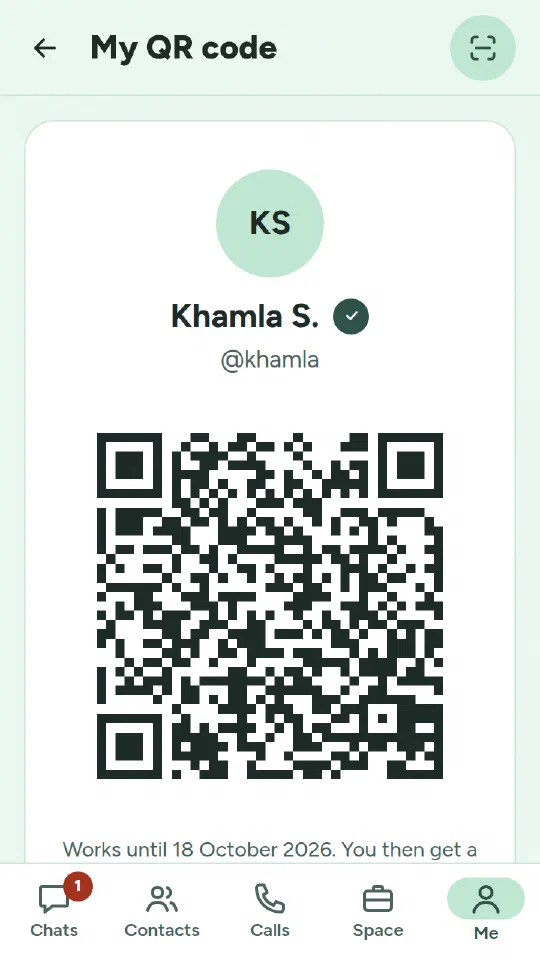
My QR code. Every member now has a QR code. Scan someone’s code in the app and you become each other’s contacts. Someone without an account can sign up with it, and waits for approval as before. Group admins can show a code for their group; people who scan it ask to join, and an admin approves. The scanner in the app shows other QR codes (website addresses, for example) but never opens them by itself.
Sign in on a computer with your phone. The sign-in page on a computer now shows a QR code that changes every minute. Scan it with the phone where you’re already signed in. The phone shows which browser is asking, and you confirm with your fingerprint or screen lock. The phone also asks whether it’s your own computer (stay signed in for 30 days) or a shared one (12 hours, and the session ends when the browser closes).
Safety for every member
Schools and families mean people of any age, so these came before anything else:
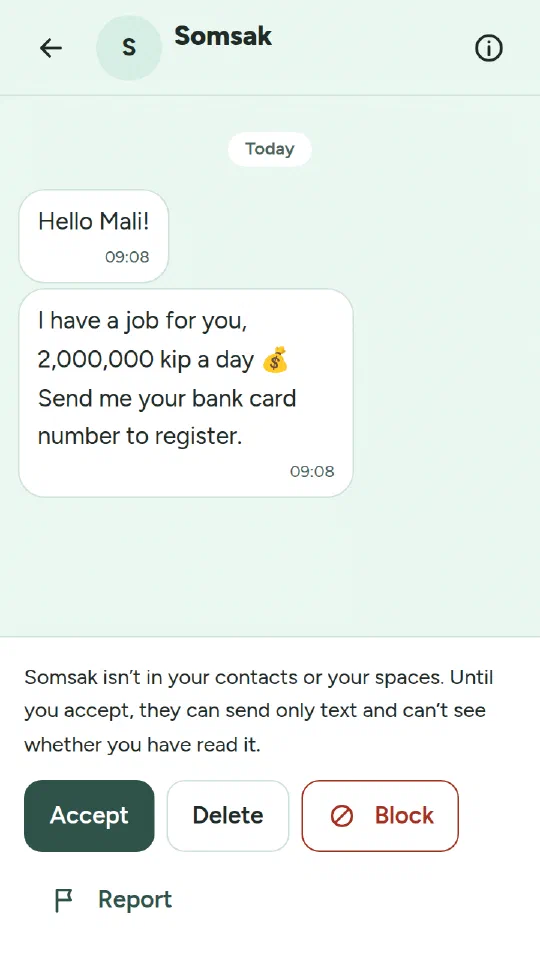
- Message requests. A first message from someone who isn’t your contact and shares no space with you is a request. You accept, delete or block. Until you accept, they can only send text and can’t see whether you’ve read it.
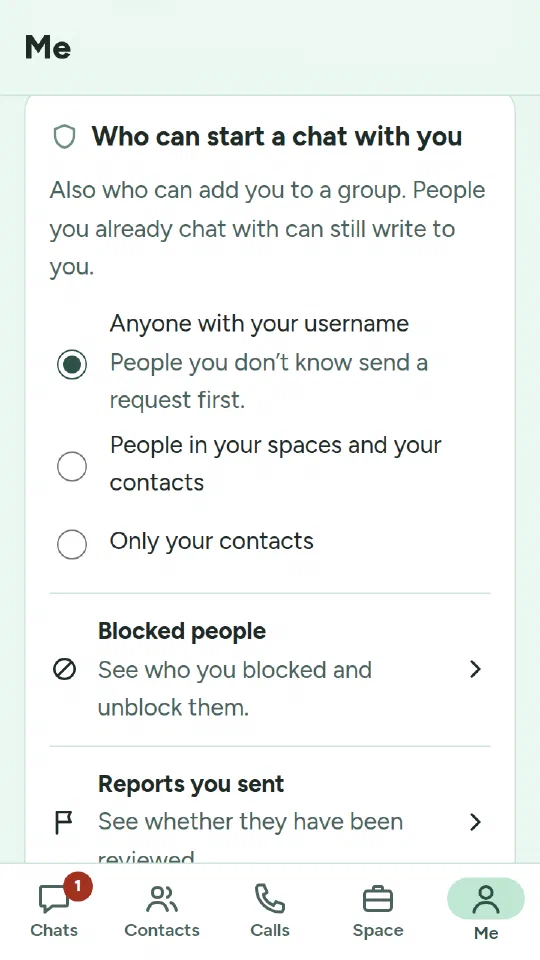
- Who can start a chat with you. Anyone with your username (as a request), people in your spaces and your contacts, or only your contacts. Members whose family or school vouched for them start with the second, stricter setting.
- Blocking is silent. The person isn’t told. Their messages, calls and group invitations stop reaching you.
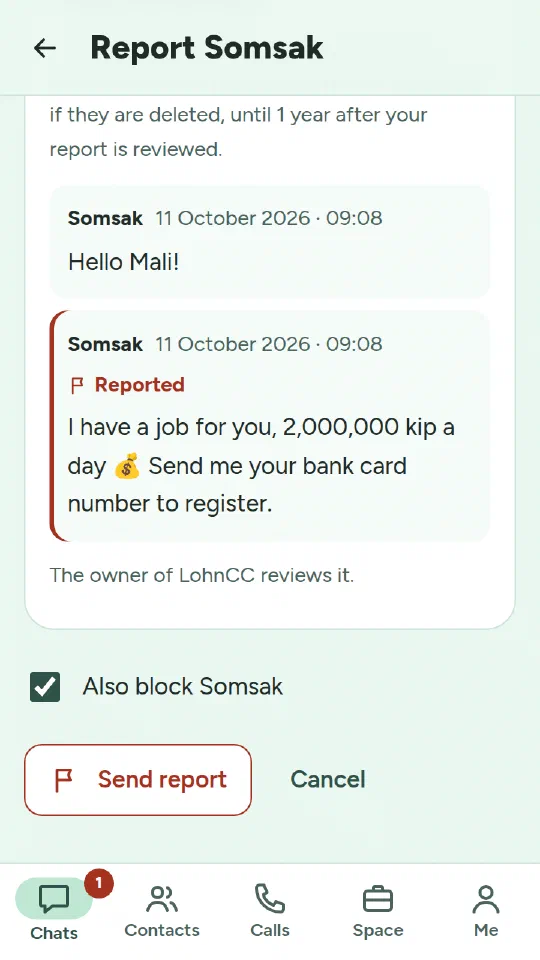
- Reports. You can report a message or a person. LohnCC keeps a copy of that message and up to five before it, with their photos and files, even if the sender deletes them. The report screen shows the copy before you send it. I review reports, and so do a space’s admins for its own chats. The reported person never learns who reported them. A reviewed report’s copy is deleted after a year. A short record of the outcome is kept for three years.
- Turning accounts off. Besides me, whoever invited a member, and the admins of the space they joined through, can turn the account off if something goes wrong. I’m told each time and can undo it.
- Your email stays private. Other members don’t see your email address unless you choose to show it to your contacts and the people in your spaces.
How it was built
The process is the same as in the first post. I decide what to build and choose between the options that matter. Claude Code writes most of the code and the tests. Every change is tested automatically, and I test it on my own phone before I approve it.
Since the first post, 25 more pull requests have been merged, 52 in all. Four of the 25 were automatic dependency updates. One updated Go for ten security fixes in its standard library. The questions I decided were mostly not technical:
- who students can message;
- what happens to a report after a year;
- whether a member’s link to their sister needs her consent.
What’s next
Before anyone outside testing uses LohnCC, a few things still have to happen:
- sign-in with Microsoft accounts;
- Terms of Service and a Privacy Policy, reviewed against Lao law;
- a security review;
- backups kept off the server;
- a native speaker’s review of the Lao text. A review page with all 1,653 Lao texts is ready for that.
After that, organizations get the tools they use every day: tasks, approval flows, expense claims, attendance and leave.
Try it
LohnCC is in private testing. If your organization, school or family would like to try it, send me a message and I’ll send you an invitation.